 DataOS
Search Everything
Solves: The file is on your disk, but you just can't find it
How: Natural-language search across all drives: filter by content, time and type
Find · Manage · Media · Learning · PC Assistant · Cleanup · Backup · WeChat Media · Evidence · Recording · AI · Privacy · Membership · Cloud Drives
Every feature listed ships in a released build — anything not yet live is labeled as such, with platform, AI and pricing status per feature.
This feature list shares one source of truth (feature-registry) with the in-app Feature Center and the user manual — no conflicting claims.
Find any file by content, time or type in one sentence
Solves: The file is on your disk, but you just can't find it
How: Natural-language search across all drives: filter by content, time and type

Solves: Too many features, too many menus — you just want to ask
How: One box on the home page: state what you want, get a plan to confirm
Organize, dedupe, version and track — every step auditable

Solves: Photos, videos and docs are scattered everywhere with no single ledger
How: One unified view of all your digital assets with tags

Solves: Your Downloads folder is a mess and you don't know where to start
How: Analyzes your folders and drafts an organize plan — nothing moves before you confirm

Solves: What exactly did that cleanup tool change on my disk?
How: Every move and delete is journaled, auditable and undoable

Solves: You edited it ten times and now want yesterday's version back
How: Keeps every version of an asset, with rollback anytime

Solves: Is that background job done or stuck? You never know
How: Track indexing, dedup and other background jobs, pause anytime
High-compatibility playback with media diagnostics and repair

Solves: Videos fail to play on some devices, subtitles and tracks get lost
How: One player for video and audio, with resume-where-you-left-off

Solves: You shouldn't need three apps to fix one photo
How: Color, crop, OCR text recognition and quality enhancement built in

Solves: Video has no sound or crackles — where is the problem?
How: Detects silence, clipping and loudness issues, then fixes them

Solves: Wrong format or file too big to share
How: Format conversion, compression and real-time compatibility streaming

Solves: Recordings jump between too loud and too quiet, with noise underneath
How: Loudness normalization, noise reduction, conversion and trimming
Turn recordings and videos into subtitles, notes and courseware

Solves: You watch a course, forget it, and never have time to take notes
How: Turns videos and recordings into subtitles, notes, chapters and courseware
Secure phone–PC pairing and PC troubleshooting

Solves: PC slows down or bluescreens and web searches just confuse you
How: Local knowledge base diagnoses why it's slow and proposes fixes
Solves: Moving phone photos and videos to the PC means cables and back-and-forth
How: Send phone files to your paired PC in one tap
Solves: Files live separately on your phone and PC, and never find each other
How: Pair securely with a QR code for an encrypted phone–PC connection
Risk-graded, trash-only cleanup with 30-day recovery
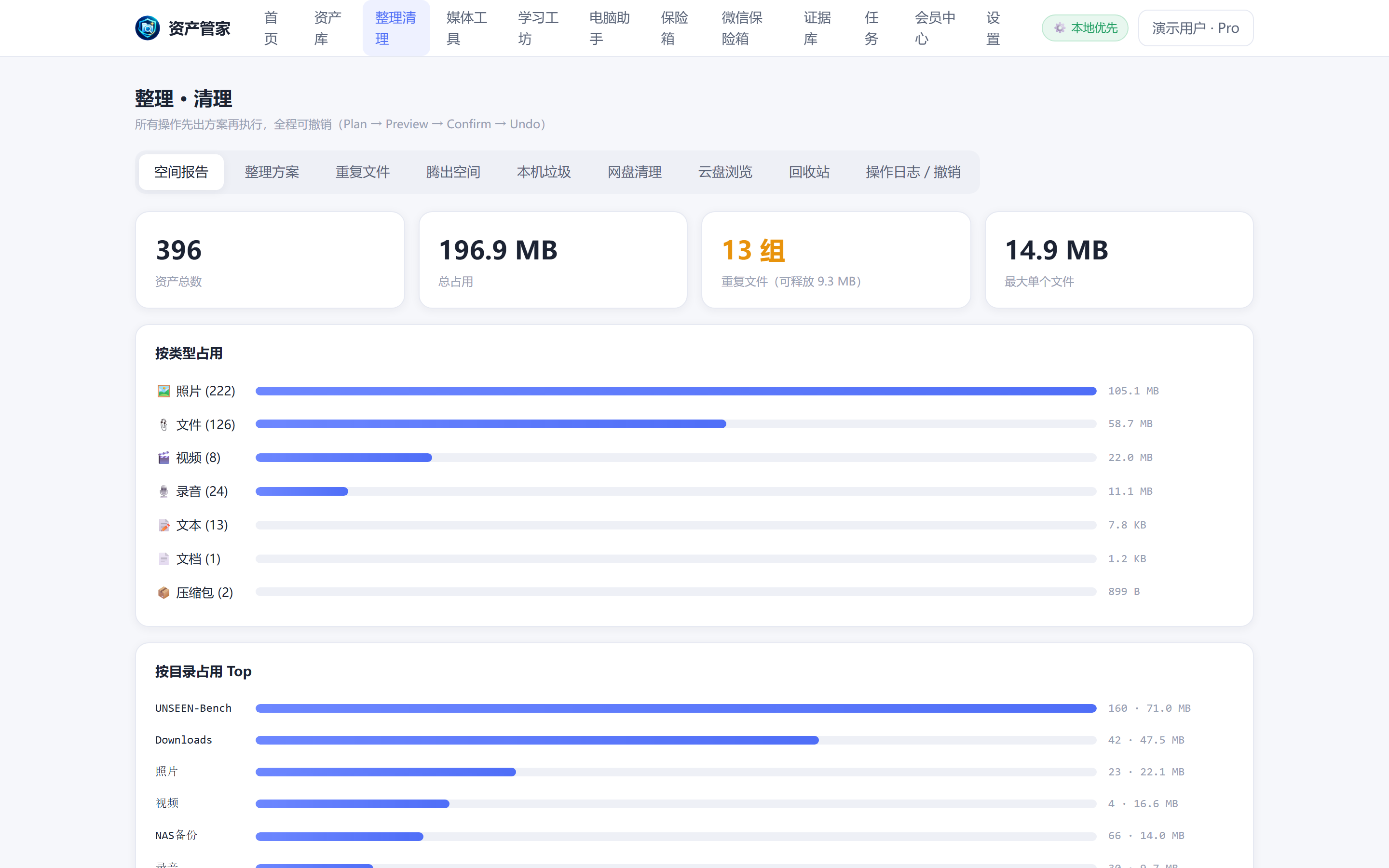
Solves: Your C: drive is full again, but what ate the space?
How: See exactly what fills your disk, drill down by type and folder

Solves: The same photo saved seven times, and you're afraid to delete the wrong one
How: Scan duplicates, keep one copy, the rest go to a 30-day trash

Solves: Disk is full, but blind cleanup might delete what matters
How: Generates a space-recovery plan you confirm item by item

Solves: System junk keeps piling up and the PC keeps slowing down
How: C: drive junk detection with risk grading — your own files are never touched

Solves: Deleted the wrong file by accident — is it gone forever?
How: Anything deleted in the last 30 days can be restored anytime
Local and cloud backups, verified one-tap restore

Solves: One dead drive and ten years of photos are gone
How: Local and cloud backup bundles with integrity checks and one-tap restore
Archive WeChat media you saved, shared or authorized

Solves: Important files in WeChat expire before you think to save them
How: Archives photos, videos, docs and audio you saved, shared or authorized — deduplicated and backed up to multiple targets
SHA-256 + hash chain, tamper-evident

Solves: Critical evidence must prove it was never tampered with
How: Originals with SHA-256, hash chain and a nine-file evidence package export
Quick voice recording and full-screen evidence capture

Solves: You record the meeting, then spend an hour typing it up
How: One-tap quick recording with SHA-256 straight into the Evidence Vault; the desktop edition adds in-recording markers and AI processing

Solves: You need trustworthy screen evidence, not watermarked third-party captures
How: Screen capture on Windows / macOS / Android with SHA-256 hash straight into the Evidence Vault
Local first, cloud AI off by default

Solves: Typing subtitles by hand takes a whole day
How: On-device speech recognition generates subtitles, with bilingual output and timeline repair
PIN vault and on-device processing

Solves: You lend your PC and private files are wide open
How: Keep important files behind a PIN-encrypted vault
Free core + membership extras

Solves: Per-use AI pricing is impossible to budget
How: Membership plans and AI Credits bundles with clear pricing
Unified multi-provider access and browsing

Solves: Your cloud files are locked inside each vendor's own client
How: Browse WebDAV / NAS / cloud drives in one place, operations gated by real capability

Solves: Cloud storage is nearly full of duplicates, but deleting feels risky
How: Detects cloud duplicates and junk; cleanup goes to a restorable staging area

Solves: Five copies of the same video — which one is actually the best?
How: Auto-scores versions of the same content and only advises — never auto-deletes